● STAGE 03 · MONITOR · ALERTS, KEY L
Turn the condition that matters into an alert
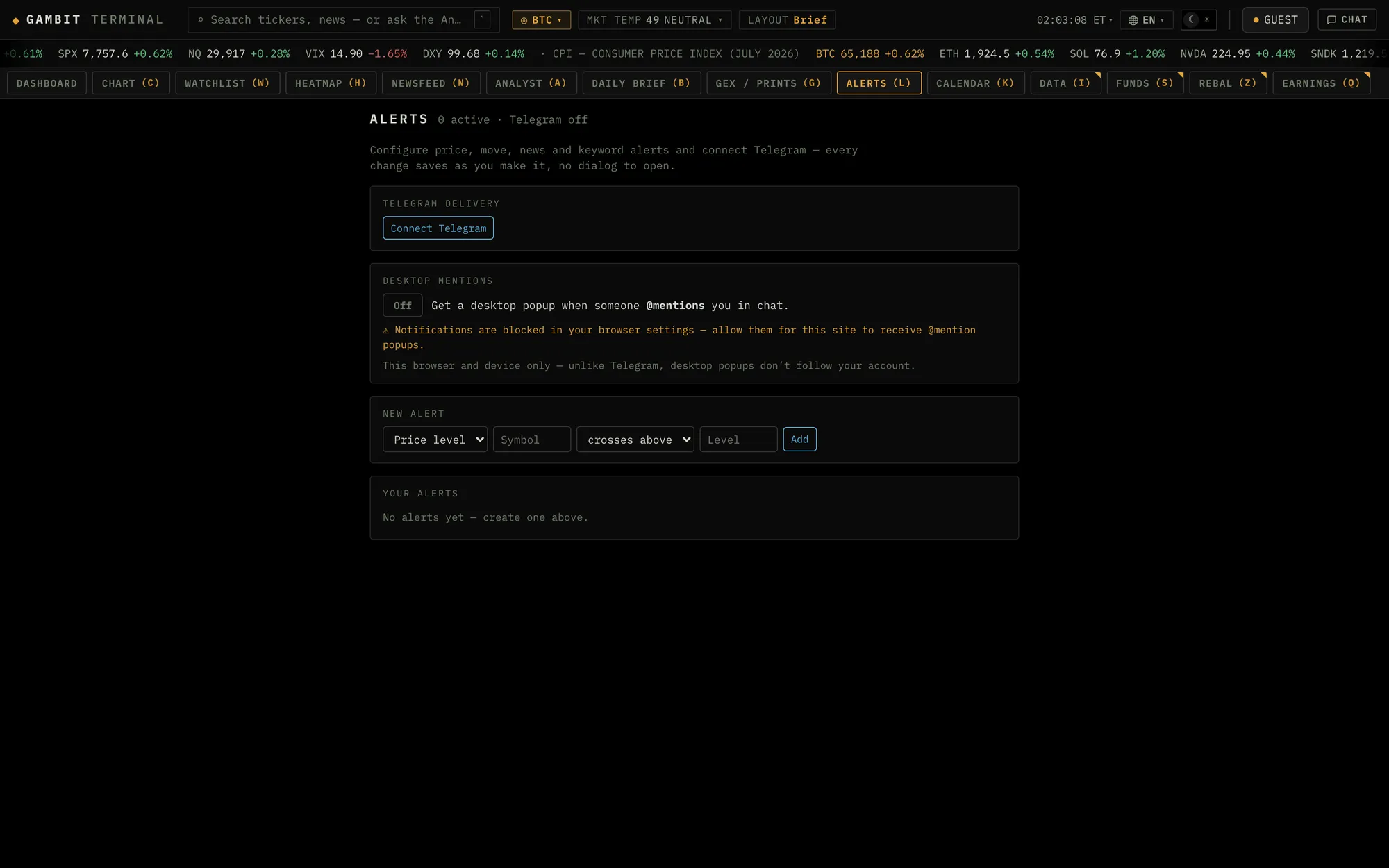
Four kinds of rule, on prices and on news alike: a price level, a daily move in percent, urgent news on tickers you name, and keyword matches against every incoming headline. Rules run on Gambit's servers rather than in your tab and deliver to Telegram, so a level set at lunch still fires at 3am with the laptop shut.
AS OF 10 AUGUST 2026 · SOURCE: GAMBIT · FIGURES BELOW ARE FROM A 10 AUGUST 2026 CAPTURE, NOT LIVE · CURRENT VALUES IN THE TERMINAL ↗
The rules
Four alert types, on price and on news
Most terminals alert on price and stop there, which leaves half the job undone: the thing that moves a position is often a headline rather than a level. Gambit's alerts desk arms both from one place, and every rule renders as a single readable line once it is live.
| Type | What it watches | Reads as |
|---|---|---|
| Price level | A symbol crossing a level you set, above or below. Armed from a watchlist row or a chart, the level arrives prefilled, so most price alerts are one click and a number. | NVDA ≥ 200 |
| Daily move | A symbol travelling further than a percentage you choose in a single session, in either direction. This is the rule that catches a gap without you having to guess the level it gaps to. | NVDA ±5% day |
| Urgent news | News on the tickers you name, at or above an urgency tier. The tier defaults to 3, the grade reserved for headlines that can move markets. Name no tickers and it watches the whole tape. | news · NVDA AMD · ≥U3 |
| Keywords | Every incoming news item matching your terms, combined with AND or OR. A theme you are trading, a counterparty, a regulator, watched across every source the feed carries. | fed OR powell |
What an alert is
An alert is the instruction to reopen the question
A conclusion worth holding comes with a condition that would confirm it, weaken it, or make it worth another look. That condition is the alert. Gambit turns it into a rule that persists, so you are not keeping the terminal open or relying on memory to honour your own reasoning.
Read that way, each of the four types answers a different question. A price level says tell me when the market reaches the price the idea depends on. A daily move says tell me when the size of the move stops being ordinary. Urgent news says tell me when something graded market-moving touches a name I follow. A keyword rule says tell me when this theme, counterparty or regulator shows up again anywhere in the feed.
An alert is not a prediction. It does not know why the level broke and it does not explain the move. It identifies the moment the market has earned another look, which is the only part a rule can honestly do for you.
Where they get armed
Set the alert where you noticed the reason for it
An alert is worth least at the moment you have to go and find a form for it. Gambit puts the trigger beside the thing that prompted it, so the rule gets armed in the same motion as the observation.
From the watchlist. Every row carries a bell. Open it and the level is already filled with that name's last price, which turns setting a level into an adjustment rather than a lookup. The watchlist is where a symbol enters the terminal, and an alert is the instruction to keep watching it once you have stopped looking.
From the chart. Click the level that matters and arm the alert against the price you clicked.
From the newsfeed. A headline seeds a keyword rule directly, so the story you just read becomes the thing you are told about next time, across every source the feed carries.
From the desk. Key l opens the full form for any of the four types, with every active rule and its trigger state listed underneath.
Questions
What kinds of alerts can Gambit send?
Four. A price level, which fires when a symbol crosses a level you set above or below. A daily move, which fires when a symbol travels further than a percentage you choose in one session, in either direction. Urgent news, which fires on news for the tickers you name at or above an urgency tier, defaulting to tier 3, the grade reserved for headlines that can move markets. And keyword rules, which fire on every incoming news item matching your terms, combined with AND or OR.
Can I set an alert straight from my watchlist?
Yes. Every watchlist row carries a bell, and opening it prefills the level with that name’s last price, so setting a price alert is an adjustment rather than a lookup. A chart works the same way: click the level you care about and arm the alert against the price you clicked.
Can I set an alert from a news headline?
Yes. The newsfeed can seed a keyword rule directly from a headline, so a story you have just read becomes a rule that watches every source the feed carries for the same terms.
Do alerts work when the terminal is closed?
Yes, that is the point. Rules are evaluated server-side against the same live tape the terminal streams, so they fire and deliver to Telegram whether or not a browser tab is open. Desktop mentions cover the case where you are at the screen anyway.
Do I need an account for alerts?
Delivery does. A rule has to know which Telegram chat to deliver to, so the bot has to be linked, and keyword rules will not arm until it is. Signing in with an email address is what ties your rules and watchlists to an account, so they persist beyond the guest session and follow you across devices rather than living with one browser.
Keep going